Custom Website vs WordPress Website: Which is Better for Kashmir Businesses?

Every week someone in the valley asks me a version of the same question: "Should I get a WordPress website or a custom one?"
And almost every time, the question underneath it is different. What they actually want to know is: which of these two will still be serving my business well in three years, and which one will quietly cost me money I didn't plan for?
That's a much better question, and it has a real answer — just not a universal one. I've built both. I've built WordPress sites that have run beautifully for years on ₹4,000 a year of hosting, and I've built custom applications that would have been impossible on WordPress at any price. I've also been handed WordPress sites so tangled with plugins that rebuilding from scratch was cheaper than fixing them, and I've seen "custom" sites written so badly the owner couldn't change a phone number without paying someone.
So this isn't a sales pitch for one side. It's the same reasoning I walk clients through before I quote anything — adapted for the specific conditions we work in here: mobile-heavy traffic, uneven bandwidth, local search that punishes slow sites, seasonal demand, and business owners who need to be able to update their own content without opening a support ticket.
If you're at an earlier stage and still weighing no-code builders too, start with Build vs WordPress vs No-Code. If you already know it's one of these two, keep reading.
At a glance
- "Custom vs WordPress" is not a quality comparison. It's a fit comparison. The wrong fit is expensive in both directions.
- WordPress wins on speed-to-launch, editing convenience and lower entry cost. For a content-led brochure site, a blog, or a straightforward local business site, it's often the sensible answer — and I'll say so.
- Custom wins on performance, ownership, security surface, and anything with logic in it — bookings, dashboards, portals, calculators, integrations, unusual workflows.
- Google doesn't rank platforms. It ranks pages. But platforms strongly influence how fast, how clean and how maintainable those pages are, and that does affect rankings.
- The real cost gap shows up in year two and three, not on the quote. A three-year total-cost table is below.
- Performance is a revenue number in Kashmir specifically, because your visitor is usually on a mid-range Android phone on mobile data.
- Plugin count is the single best predictor of whether a WordPress site will age well or become a liability.
- A hybrid — a custom front end with a proper CMS behind it — is now the right answer more often than either extreme.
- Ownership matters more than the platform. If you don't control the domain, hosting and code, you don't have a website, you have a rental.
 A Srinagar business owner taking a card payment on a tablet — the platform decision is really about what the business needs to do, not what's fashionable
First, let's define the two things honestly
Most comparisons fail because they compare the best version of one option to the worst version of the other. Here's what each actually means.
What "a WordPress website" really is
WordPress is a content management system — software that runs on a server, stores your pages in a database, and gives you an admin panel to edit them. It powers a very large share of the web, and that scale is genuinely a feature: there are themes for everything, plugins for everything, and no shortage of people who can maintain one.
But "a WordPress website" in practice usually means a stack of four separate things:
- WordPress core — the CMS itself.
- A theme — often bought from a marketplace, controlling your design.
- A page builder — Elementor, WPBakery, Divi — which adds a visual editing layer.
- Plugins — anywhere from six to sixty of them, each written by a different developer, each updating on its own schedule.
Every one of those is a moving part maintained by someone who has never met you. That's the trade: enormous convenience up front, in exchange for a stack you assemble rather than author.
 PHP code running a WordPress query — the underlying stack of core, theme, page builder and plugins is what you're actually buying
What "a custom website" really is
A custom website is one built for your requirements rather than adapted to them. Today that usually means a modern framework — in my case Next.js and React, or Laravel with Vue where a heavier back end is needed — with your content either written into the codebase or pulled from a headless CMS.
Two myths need killing here.
Myth one: custom means you can't edit your own content. That's a badly built custom site, not custom sites in general. A properly built one ships with a CMS so your team edits pages, posts, products and prices without touching code. If a developer quotes you a custom site where every text change is a paid request, that's a business model, not a technical constraint.
Myth two: custom always costs several times more. For a genuinely simple five-page site, custom does cost more than a themed WordPress build — no argument. But the gap narrows fast as requirements grow, and by the time you're bolting six premium plugins onto WordPress to fake a feature, custom is often cheaper and better. My full breakdown of real valley pricing is in how much a website costs in Kashmir in 2026.
 A code editor mid-build — a custom site is one authored for your requirements rather than assembled from someone else's assumptions
The honest scorecard
Here's how the two compare on the dimensions that actually affect a business. "Custom" here means a competently built modern framework site with a CMS; "WordPress" means a typical theme-plus-plugins build, because that's what most quotes in the valley describe.
| What you care about | WordPress | Custom build |
|---|---|---|
| Time to launch | 2–4 weeks | 4–10 weeks |
| Entry cost | Lower | Higher |
| Editing your own content | Excellent, immediately | Excellent, if a CMS is included |
| Raw page speed | Fair to good; degrades with plugins | Excellent, and stays that way |
| Design freedom | Limited by theme and builder | Effectively unlimited |
| Custom logic (bookings, portals, calculators) | Possible, awkward, plugin-dependent | Native and clean |
| Third-party integrations | Plugin if one exists; painful if not | Built exactly as needed |
| Security surface | Larger — core, theme, every plugin | Smaller — you control what exists |
| Ongoing maintenance | Mandatory and continuous | Light, mostly dependency updates |
| Scaling to heavy traffic | Needs caching and better hosting | Scales cleanly by default |
| Who can take it over later | Very many developers | Fewer, but growing quickly |
| Long-term running cost | Climbs with plugin licences | Flat and predictable |
| Ownership of the result | You own content; you rent the stack | You own everything |
Read that table twice, because the honest conclusion is not "custom wins." It's that WordPress front-loads convenience and back-loads cost, and custom does the opposite. Which of those suits you depends entirely on the next two sections.
Where WordPress genuinely wins
I recommend WordPress regularly, and I mean it when I do. It's the right call when:
1. Content is the product. If your site is fundamentally a publishing operation — articles, guides, news, a travel blog with a big archive — WordPress's editorial workflow is genuinely excellent and hard to beat on value. When the content volume and the editing cadence are that high, WordPress is the sensible choice, not a compromise.
2. You need to be live in two weeks. Season starting, event announced, funding pitch next month. WordPress with a good theme, done properly, gets you a credible site fast. Speed to market is a real business advantage and it's silly to pretend otherwise.
3. The budget genuinely caps at the lower end. If ₹25,000–₹45,000 is the entire budget and it can't move, a well-executed WordPress site beats a compromised custom one every time. A half-built custom site is worse than a good themed site.
4. Your requirements are conventional. Pages, a blog, a contact form, a gallery, a simple shop. If a plugin already does the job well, writing that plugin again from scratch is a waste of your money.
5. Someone in-house will run it. If your team already knows WordPress, that institutional knowledge has real value. Don't throw it away for a technically nicer stack nobody there can operate.
If two or more of these describe you, ignore anyone telling you WordPress is beneath consideration. They're selling, not advising.
Where custom genuinely wins
Equally, there are situations where WordPress is the wrong tool and continuing with it costs more every month.
1. Your website does something, not just says something. Bookings with availability rules, a customer portal, quotes with real pricing logic, dashboards, role-based access, an approval workflow. EarthWalker needed role-based authentication and a custom search that no plugin was going to deliver honestly, and GOC Inventory Management was never a website question at all — it was custom software with a web front end. The moment your requirements contain the words "and then it should automatically…", you've left comfortable WordPress territory. More signals of that in signs you need custom software.
2. Performance is competitive advantage. If you're fighting for local rankings against ten similar businesses, or running paid traffic where every second of load time burns budget, a lean custom build gives you headroom WordPress has to work hard to match.
3. You have real integrations. ERP, accounting, a payment flow with unusual rules, WhatsApp automation, an inventory system, an AI assistant trained on your own data. Plugins that connect two systems together are the most fragile category of plugin there is.
4. The brand needs to feel singular. If you're premium — a design-led product brand, an architecture practice, a boutique hospitality business — a theme will always look like a theme to the customers who matter most. The online experience has to feel as considered as the product in the box.
5. You're building something that will grow for years. Multi-language, multi-location, a growing catalogue, several user types, an app later. Custom lets you extend without fighting the platform's assumptions. Steri360 and Al-Karam / Aibak Electric both fall here.
The Kashmir-specific factors that change the answer
This is where generic international advice stops being useful, because our conditions aren't Bengaluru's or London's.
Your visitor is on a phone, often on mobile data, often outside a city. That's not a stereotype, it's what analytics on valley business sites consistently show. A heavy WordPress build with a page builder, four sliders and eight plugin scripts might load in 2 seconds on your office fibre and 9 seconds on a mid-range Android in Anantnag. The second number is the one your customer experiences. This is the single biggest practical argument for a lighter build here, and it's covered in more depth in web development trends in Kashmir.
Local search is winnable, and speed is part of the game. Ranking for "web developer in Srinagar" or "carpet shop Kashmir" is genuinely achievable because the competition is thin — but only if your pages are fast, indexed and properly structured. Work through the local SEO checklist for Srinagar and you'll notice how much of it is technical rather than cosmetic.
Your maintenance situation is different. A WordPress site needs someone updating core, theme and plugins regularly. In a metro, that's a ₹2,000/month retainer and nobody thinks about it. Here, a lot of sites get built, handed over, and then touched by nobody for two years — which is precisely how WordPress sites get compromised. Be honest about whether anyone will actually maintain it.
Demand is seasonal and search visibility lags. Wedding season, Eid, the tourist months, harvest and export calendars. Rankings take months to build, so the site needs to exist and be indexed well before the season you're targeting. That argues for launching sooner rather than waiting for a perfect build — sometimes a strong WordPress site now beats a perfect custom site in five months.
A meaningful share of your buyers are outside the valley. Metro India and the diaspora buy differently, expect more polish, and are more sceptical about credibility. That raises the value of design quality and trust signals, which nudges toward custom for brand-led businesses.
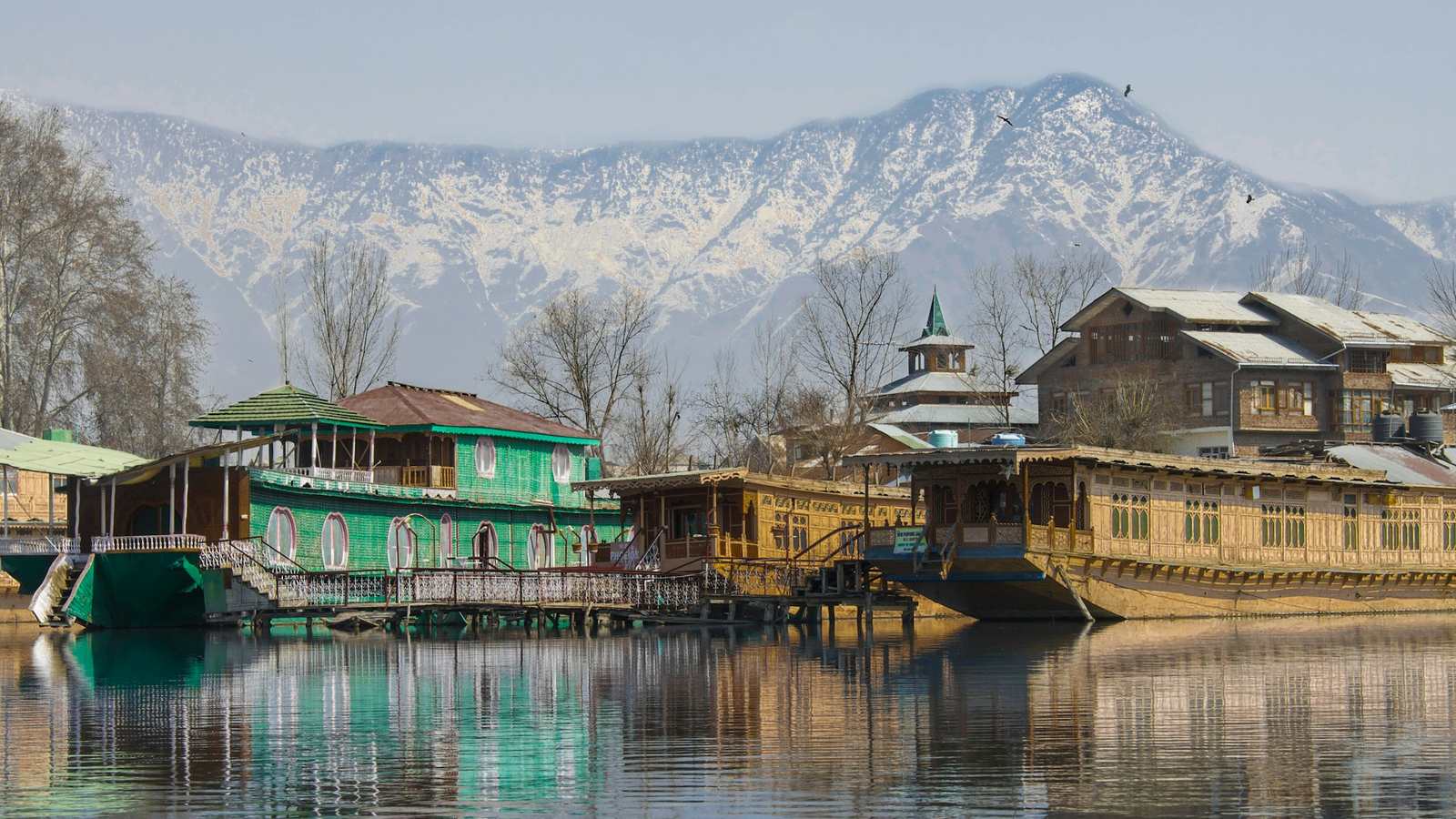 Houseboats on Dal Lake below the mountains — the valley's traffic conditions, seasons and audiences change which build actually performs
Performance: the number that moves revenue
Let's be precise, because "fast" is a useless word in a proposal.
The metrics that matter are Largest Contentful Paint (how long until the main content appears), Cumulative Layout Shift (how much the page jumps around while loading) and Interaction to Next Paint (how quickly it responds to a tap). Google measures all three from real users, and they feed into ranking.
A modern custom build hits good numbers by default: server-rendered HTML, images automatically converted to modern formats and sized per device, JavaScript split per route, fonts self-hosted. You're not optimising — you're just not being slow in the first place.
A WordPress site can absolutely be fast. I've made slow ones fast. But it takes deliberate work: a lightweight theme, a caching layer, an image optimiser, deferred scripts, a CDN, and above all restraint about plugins. And here's the mechanism that catches people out — the site is fast on launch day, then over eighteen months someone adds a chat widget, a popup plugin, a review slider and a booking form, and nobody notices the site is now three times heavier. Performance decays silently on WordPress. On a custom build it mostly doesn't, because adding weight requires a developer who'll tell you what it costs.
Want a quick read on where you currently stand? Run your existing site through the free website authority checker before you decide anything.
 A laptop and phone side by side — your Kashmir customer is almost always on the smaller screen, often on mobile data
SEO: does Google actually care which one you chose?
No. Google has no preference between WordPress and a custom stack. It reads HTML.
But that answer is too glib, because the platform shapes four things Google does care about:
Speed and Core Web Vitals. Covered above. Custom starts ahead; WordPress can catch up with effort and discipline.
Clean, controllable markup. Custom gives you exact control of heading structure, schema and internal linking. WordPress gives you a plugin's opinion of those things, which is usually fine and occasionally a mess — duplicate H1s from a theme, or three competing SEO plugins writing conflicting tags.
Structured data. Rich results for FAQs, reviews, products, articles and local business listings come from JSON-LD. On custom you write exactly what you need. On WordPress you get what the plugin supports, which is broad but rarely bespoke.
Publishing velocity. This is the one people underrate — and it favours WordPress. SEO is won by publishing consistently over months, and if WordPress means your team publishes weekly instead of quarterly, that operational advantage will beat a marginally faster custom site that nobody updates. The full method is in the 12-month SEO roadmap, and the local angle in how to rank Kashmir businesses on Google.
The takeaway: choose the platform your team will actually use, then do the SEO work properly on it. Platform is a small factor; consistency is a large one.
 A rising traffic line on a laptop screen — rankings come from consistent publishing and technical hygiene, not from the CMS logo
Security and maintenance: the part nobody quotes for
This is where WordPress's greatest strength becomes its greatest liability.
WordPress's popularity means it is the most-attacked website platform in the world — not because it's poorly built, but because a vulnerability in one popular plugin gives an attacker millions of targets. The overwhelming majority of compromised WordPress sites are compromised through outdated plugins and themes, not through WordPress core.
Which produces a simple rule: your WordPress site's risk is roughly proportional to the number of plugins on it multiplied by the number of months since anyone updated them. A five-plugin site updated monthly is a low-risk asset. A thirty-plugin site last touched in 2024 is a breach waiting to happen — and when it happens, it usually shows up as pharmaceutical spam links injected into your pages, which then destroys the search rankings you spent two years building.
A custom build has a smaller surface: your code, your framework, your dependencies. It still needs updating — anyone claiming custom means zero maintenance is wrong — but the update cadence is quarterly rather than weekly, and there's no marketplace plugin abandoned by its author.
So budget honestly for either path:
- WordPress: roughly ₹1,500–₹4,000 a month for updates, backups, uptime monitoring and security, plus annual plugin and theme licences.
- Custom: roughly ₹1,000–₹3,000 a month for hosting, monitoring and periodic dependency updates, with no licence renewals.
Skipping maintenance is not a saving. It's a deferred bill with interest.
 A padlock resting on a keyboard — most WordPress compromises come through outdated plugins, and they take your search rankings with them
The three-year total cost of ownership
The quote is the smallest number in this decision. Here's a realistic three-year picture for a typical valley business site — a marketing site with around ten to fifteen pages, a blog and enquiry forms. Ranges reflect the genuine spread I see in the market; your requirements move you within them.
| Line item | WordPress | Custom build |
|---|---|---|
| Initial build | ₹25,000 – ₹70,000 | ₹60,000 – ₹1,80,000 |
| Theme / premium plugins (year 1) | ₹6,000 – ₹20,000 | ₹0 |
| Hosting (per year) | ₹4,000 – ₹15,000 | ₹0 – ₹12,000 |
| Maintenance (per year) | ₹18,000 – ₹48,000 | ₹12,000 – ₹36,000 |
| Licence renewals (years 2–3) | ₹5,000 – ₹18,000 per year | ₹0 |
| Typical redesign horizon | 2–3 years | 4–6 years |
| Indicative 3-year total | ₹95,000 – ₹2,45,000 | ₹1,00,000 – ₹3,00,000 |
Two things jump out. First, the three-year totals overlap far more than the initial quotes suggest — the gap people imagine mostly closes. Second, the redesign horizon is doing quiet work: WordPress sites tend to need rebuilding sooner, because themes go stale and plugin debt accumulates, while a well-built custom site is extended rather than replaced.
None of this is an argument that custom is always cheaper. It's an argument that comparing initial quotes is the wrong comparison. Ask any developer quoting you — including me — for the three-year number.
 A desk with a calculator and printed estimates — the quote is the smallest number in this decision
The middle ground most businesses should look at
The custom-versus-WordPress framing is a decade old. In 2026, the answer for a lot of businesses is a hybrid, and it's worth knowing it exists before you sign anything.
Headless WordPress. Keep the WordPress admin your team already knows for content, but serve the site through a fast custom front end that reads from it via API. You get the editing experience and the performance. It costs more than plain WordPress and less than a fully bespoke application, and it suits content-heavy businesses that also care about speed.
Custom front end plus a modern CMS. A framework site with a purpose-built CMS attached — you get editable content, exact design control and excellent performance. This is what I build most often now, and it's what makes the "custom means you can't edit anything" myth obsolete.
WordPress for the blog, custom for the application. Perfectly reasonable: run marketing content on WordPress at /blog and the actual product — portal, booking engine, dashboard — as a custom app. Each tool doing what it's good at.
Start themed, rebuild deliberately. For a new business with an unproven idea, launching on WordPress to validate demand and then investing in custom once you know what customers actually use is not a failure. It's sequencing. Just make sure the content and URLs are structured so a future migration doesn't cost you your rankings.
Ownership: the question to ask before either
Whatever you choose, this determines whether you own a business asset or rent one. Insist on all six, in writing, before work starts:
- The domain is registered in your name, in an account you control. Not your developer's account.
- Hosting is in your name, with billing on your card or your company's.
- You get the source code — the full repository for a custom build; theme, child theme and any custom plugin code for WordPress.
- Admin credentials are yours, with the developer holding a separate account you can revoke.
- Analytics, Search Console and the Google Business Profile are yours. These accumulate historical data you can't recreate.
- Content and images are licensed to you — including any stock photography purchased for the build.
The most expensive websites I've seen weren't the ones with big budgets. They were the ones where a business had to rebuild from zero because a departed developer owned the domain. More on picking well in how to choose a professional web developer in Kashmir and freelancer vs web development company.
A decision framework you can run in ten minutes
Score each question honestly. Every A is a point for WordPress; every B is a point for custom.
- What does your site mainly do? (A) Explain and inform. (B) Process something — bookings, accounts, quotes, orders with rules.
- How often will content change? (A) Weekly or more, by non-technical staff. (B) Monthly or less, or mostly structured data.
- How distinctive must the design be? (A) Clean and professional is enough. (B) The brand experience is a competitive advantage.
- How much traffic comes from paid ads or competitive search? (A) Little. (B) Meaningful — speed converts directly into money.
- Do you need integrations with other systems? (A) None, or only mainstream ones. (B) Yes — ERP, inventory, CRM, payments with rules, AI.
- Who maintains it after launch? (A) Someone reliable, monthly. (B) Realistically nobody, or only occasionally.
- What's your timeline? (A) Live within a month. (B) Two to three months is acceptable.
- What's your three-year budget? (A) Under ₹1,00,000 total. (B) ₹1,50,000 or more.
Six or more A's — build on WordPress and spend the difference on content, photography and digital marketing. That is genuinely the better use of your money.
Six or more B's — go custom. WordPress will cost you more in workarounds than the build ever saved you.
A split score — the hybrid section above is written for you, and it's worth a twenty-minute conversation before deciding.
Migrating from WordPress to custom without losing your rankings
Plenty of valley businesses are already on WordPress and wondering whether to move. Do it properly and you keep every bit of search equity you've built. Do it carelessly and you can lose months of traffic overnight.
The rules are simple and non-negotiable:
- Keep your URLs identical wherever possible. Every URL that must change needs a 301 redirect to its closest equivalent, mapped one by one — not all pointed at the homepage.
- Migrate content completely, including images with their alt text and every internal link.
- Preserve or improve metadata — titles, descriptions, canonical tags, structured data. Never let them silently regenerate.
- Match or beat the old site's speed at launch, on mobile, measured on a real phone.
- Crawl before and after and compare the two lists so nothing quietly disappears.
- Keep the old site accessible privately for a month so you can check anything you missed.
- Watch Search Console daily for four weeks. A small dip for a week or two is normal; a sustained one means a redirect is wrong and needs fixing now.
Handled well, a migration usually improves rankings, because the new site is faster and better structured. Handled badly, it's the most expensive mistake in this entire article.
How I actually decide when a client asks me
I ask three questions, in this order.
"What is the one thing this website must do for the business in the next twelve months?" Not "what pages do you want" — what job it's being hired for. Bring in leads. Take orders. Replace phone-call bookings. Make you look credible enough to win larger contracts. That single answer eliminates roughly half the options immediately.
"Who is going to touch this site after I hand it over, and how often?" If the answer is a marketing person publishing weekly, the editing experience is a first-class requirement. If it's nobody, then low maintenance beats convenient editing, and the WordPress case weakens considerably.
"What's the three-year budget, including maintenance?" Not the build budget — the whole thing. This is where most decisions actually get made, and where the honest recommendation often surprises people. I've talked businesses out of custom builds they could afford, because the money was better spent on photography, content and ads on top of a solid WordPress site.
The pattern across the work I've shipped since 2018 is straightforward: content-led businesses that publish often do well on WordPress; businesses whose site has logic in it need custom; and brands where the online experience is part of the product are almost always better served custom. You'll see both approaches represented in the case studies and across the industries I work in.
 Two developers working through a build together — the right platform decision comes from what the business needs to do, decided before any code is written
Red flags in a quote — for either option
Whoever you hire, these should slow you down:
- A recommendation made before anyone asked what your business does. If "WordPress" or "custom" arrives before the discovery conversation, it's a default, not advice.
- No mention of maintenance. A quote with no ongoing plan is an incomplete quote.
- "Unlimited pages" on a WordPress build. Page count isn't the cost driver; scope and integrations are, and this framing hides that.
- A custom quote with no CMS. You'd be buying dependence.
- No performance commitment. Ask for a target Lighthouse score on mobile and get it in writing.
- Vague ownership. If the developer keeps the domain, hosting or code, walk away.
- No content plan. A beautiful site with thin content ranks for nothing. Both platforms fail equally here.
- A guarantee of first-page rankings in thirty days. Not possible. Realistic timelines are in the SEO roadmap.
If you want the longer version of how to evaluate a partner, web development companies in Kashmir and why a local developer often outperforms a distant agency both go deeper.
Frequently asked questions
Is a custom website always faster than WordPress? Not automatically, but it starts much further ahead and stays there more easily. A carefully optimised WordPress site with a light theme, caching and few plugins can perform very well. The difference is durability: custom sites keep their speed as they grow, while WordPress sites tend to get heavier every time someone installs something. If you go WordPress, treat plugin discipline as a policy, not a preference.
Can I edit my own content on a custom website? Yes, if it's built properly. A good custom build ships with a CMS so you can edit pages, posts, products and prices yourself. Ask to see the editing interface during the sales conversation, not after handover — and if a developer's quote assumes every text change comes back to them as billable work, that's a choice they made, not a limitation of custom development.
How much does a custom website cost in Kashmir? For a marketing site, most custom builds land between ₹60,000 and ₹1,80,000, driven by scope, integrations and design depth rather than page count. Applications with real logic — portals, booking engines, dashboards — start higher because you're commissioning software, not pages. The detailed breakdown, including what's usually left out of quotes, is in what a website costs in Kashmir in 2026.
Will switching from WordPress to custom hurt my Google rankings? Only if the migration is done carelessly. Keep the URL structure, map 301 redirects one to one, carry across metadata and structured data, and launch at least as fast as before, and rankings typically hold and then improve. The risky migrations are the ones where URLs change without redirects — that's where traffic disappears.
Is WordPress secure enough for a business website? Yes, when it's maintained. WordPress core is actively developed and patched quickly. Almost every compromise comes through outdated third-party plugins and themes. If you'll commit to monthly updates, backups and a lean plugin list, it's a perfectly sound business platform. If nobody will maintain it, choose a lower-maintenance build instead.
What about ecommerce — WooCommerce or a custom store? WooCommerce is a reasonable starting point for a modest catalogue, and Shopify is worth considering alongside it. Custom becomes worthwhile when you have unusual pricing rules, wholesale tiers, inventory integration or a brand experience that has to be exceptional. The full decision, including payments, COD and shipping realities here, is in ecommerce website development in Kashmir.
I need a website and an app. Does that change the answer? It usually strengthens the custom case, because a shared back end can serve both and you avoid building the same logic twice. But most businesses need an app far later than they think — a fast, installable mobile website does nearly everything an app would, at a fraction of the cost, and it's discoverable in search. The comparison is in website vs mobile app.
How long does each take to build? A well-scoped WordPress site takes two to four weeks; a custom marketing site takes four to ten. In both cases the biggest variable isn't development speed — it's how quickly content, photography and approvals come back from your side. Clients who have their content ready before the build starts routinely finish early.
Can you take over a WordPress site someone else built? Usually yes, and it's a common request. The first step is an audit: what's outdated, what's insecure, what's slowing it down, and whether it's economical to improve or cheaper to rebuild. Sometimes a day of cleanup fixes years of neglect, and I'll tell you when that's the case rather than quoting a rebuild.
Which is better for ranking in local Kashmir searches? Neither wins by default. Local rankings come from a complete Google Business Profile, consistent name-address-phone details, genuine reviews, location-relevant pages and a fast mobile site. Both platforms can deliver all of it. Work through the Srinagar local SEO checklist and you'll see how little of it is platform-dependent.
The short version
There is no universally better option — but there is a better option for you, and it's usually obvious once the right questions get asked.
Choose WordPress if your site's main job is publishing and explaining, your team will edit it weekly, your budget is genuinely tight, and someone will maintain it properly. Spend what you save on content, photography and marketing — that's where your returns are.
Choose custom if your site has to do things, if speed is competitive advantage, if you have real integrations, if the brand experience is part of the product, or if you're building something that needs to grow for years without fighting a platform's assumptions.
Choose the hybrid if you want both — and increasingly, that's the honest recommendation.
And whichever you choose: own your domain, own your hosting, own your code, budget for maintenance from day one, and hold the build to a real performance standard on a real phone.
If you'd like a straight answer for your specific situation rather than a generic one, tell me what your business does and I'll tell you which of the three I'd actually build, roughly what it would cost over three years, and — genuinely — when the honest answer is that your money would be better spent elsewhere first.
Or start narrower: run your current site through the free website authority checker, see what I build and the work behind it, or request a quote with your requirements and I'll come back with a scoped recommendation rather than a template.
Owais Noor
Full-Stack Developer & Digital Marketer, based in Srinagar. I write about building fast, useful websites and software — and getting them found.