What Is a CDN Server and How Does It Work? A Plain-English Guide

Here's something I did a few minutes before writing this. I asked for one image from this website, the cover photo of an older blog post, using a command-line tool that shows the response headers instead of the picture. Two lines in the reply were the interesting ones:
x-vercel-cache: MISS
x-vercel-id: bom1::5bwgf-...
Then I asked for the same image again. This time:
x-vercel-cache: HIT
age: 15
x-vercel-id: bom1::9mzjw-...
Those two requests show what a CDN does. The first time, the server that answered me, in Mumbai (that's what bom1 means; it's the airport code), didn't have the image. It fetched it from where the site actually lives, passed it to me, and kept a copy. Fifteen seconds later, the second request was served straight from that copy. Nothing had to travel any further than Mumbai.
That server in Mumbai is a CDN server. There are thousands like it around the world. If you've ever wondered why some websites open instantly wherever you are while others crawl, CDNs are a big part of the answer.
This guide explains what a CDN server is, how it decides what to send you, what it can and can't fix, and how to tell whether your own website needs one. I'll keep the jargon to what you actually need. I build websites and web applications for a living, so I'll also be honest about the parts that cause trouble, because those are what decide whether a CDN helps you or quietly makes things worse.
The short answer
A CDN (content delivery network) is a large group of servers spread across many cities, all holding copies of your website's files. When someone visits your site, they're served by whichever of those servers is closest to them, instead of all the way from the one machine where your site is hosted.
A CDN server, often called an edge server, is one of those machines. It sits between your visitors and your real server (the origin), keeps copies of the files people ask for, and hands them out quickly to everyone nearby.
The result:
- Pages load faster, because data travels a shorter distance.
- Your origin server does far less work, because most requests never reach it.
- Your site copes better with traffic spikes and many kinds of attack, because the CDN absorbs them first.
That's the gist. Whether a CDN actually delivers those three for your site depends on the details, so let's go through them.
Why distance still matters on the internet
It's tempting to think the internet is instant. It isn't. Data moves through fibre optic cable at roughly two-thirds the speed of light, about 200,000 kilometres per second. That sounds like plenty until you do the arithmetic.
Take a business in Srinagar whose website is hosted on a server in Virginia, in the eastern United States, which is a very common default for cheap hosting. The straight-line distance is about 11,400 km. A request has to go there and come back, so even a perfectly straight fibre with nothing in the way would need about 114 milliseconds for one round trip.
Real cables don't run in straight lines. They follow coastlines and seabeds, pass through routers, and get handed between networks. In practice, round trips over that kind of distance usually take two to three times the theoretical figure.
That's one round trip. Opening a secure web page takes several before any content arrives: one to look up the domain, one to open a connection, one or two more to set up encryption, then the request itself. A typical page then asks for dozens more files: stylesheets, scripts, fonts, images. Browsers do a lot of this in parallel, but every round trip to a faraway server adds up.
Now compare the same calculation to Mumbai: about 1,700 km, roughly 17 milliseconds for an ideal round trip. To Delhi, around 650 km and 6.5 milliseconds. You can't make light go faster, but you can move the content closer to the people asking for it. That is the whole idea behind a CDN.
 The night side of the Earth seen from space, with clusters of city lights glowing across the continents. Each cluster is a crowd of potential visitors, and a CDN tries to put a copy of your website close to every one of them
An analogy that actually holds up
Picture a pashmina workshop in Srinagar that sells across India. If every order shipped from the workshop itself, a customer in Chennai would wait a week, and the workshop would spend its days packing boxes instead of weaving.
So the business does what any growing distributor does. It keeps stock in regional warehouses in Delhi, Mumbai, Bengaluru and Kolkata. Customers get their orders from the nearest warehouse in a day or two. The workshop only ships when a warehouse runs low, or when a new design comes out that no warehouse has yet.
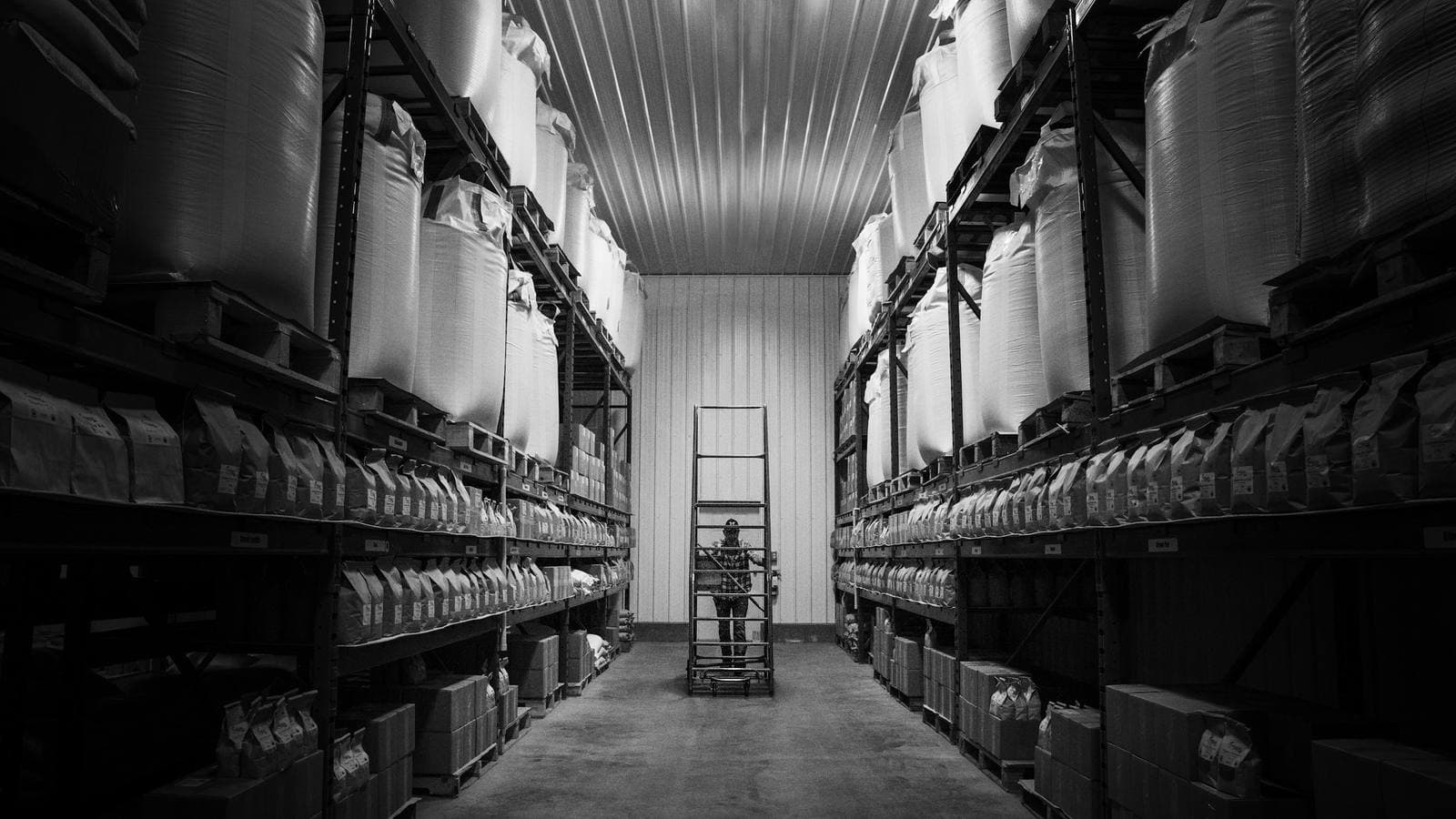 A long aisle in a storage warehouse, black and white, with tall shelves of sacks and boxes on both sides and a worker on a rolling ladder at the far end. A CDN works like a network of regional warehouses holding copies of a website's files close to its customers
Map that onto a website:
- The workshop is your origin server, where the website really lives and where changes are made.
- The regional warehouses are CDN edge servers, each holding copies of your files.
- Restocking is a cache miss: the edge server doesn't have a file yet, so it fetches one from the origin.
- Shipping from the warehouse is a cache hit: the file was already there, so the visitor gets it immediately.
- Clearing old stock when a design changes is a purge: you tell the CDN to throw away outdated copies.
The analogy also explains the main catch, which we'll get to: if the warehouse is still selling last season's stock after the workshop has moved on, customers get the old version.
The vocabulary, in one table
You'll run into these terms in hosting dashboards, developer conversations and invoices. Here's what each one actually means.
| Term | What it means |
|---|---|
| Origin | The server where your website actually lives. The source of truth. |
| Edge server | A CDN server close to visitors, holding cached copies of your files. |
| PoP (Point of Presence) | A CDN location, usually a data centre in a city, containing many edge servers. |
| Cache | Stored copies of files, kept so they don't have to be fetched again. |
| Cache hit | The edge server already had the file and served it directly. Fast. |
| Cache miss | The edge server didn't have it and had to fetch it from the origin first. Slower. |
| TTL (Time to Live) | How long a cached copy is considered fresh before it must be checked again. |
| Purge / invalidation | Telling the CDN to delete cached copies so fresh ones are fetched. |
| Cache hit ratio | The share of requests served from cache. Higher is better. |
How a CDN works, step by step
Let's follow one request from start to finish. Someone in Anantnag taps a link to your website on their phone.
 A data centre floor with rows of black server cabinets under overhead trays of blue network cable, on a white raised tile floor. CDN points of presence are rooms like this one, placed in cities around the world
1. The visitor is routed to the nearest edge
First the phone has to work out where to send the request. Your domain is set up so that its address points to the CDN, not directly to your origin. CDNs then use one of two main techniques to get the visitor to a nearby server:
- DNS-based routing. When the phone looks up your domain, the CDN's DNS system answers with the address of a server near the visitor. Someone in Kashmir gets an address in India; someone in London gets one in Europe.
- Anycast. The same IP address is announced from every PoP at once, and the internet's own routing delivers each visitor's request to the closest one, by network distance rather than by map distance. Cloudflare is the best-known example of this approach.
Either way, our visitor in Anantnag ends up talking to a server in, say, Delhi or Mumbai instead of Virginia.
2. The secure connection is made at the edge
The encrypted HTTPS connection is set up between the phone and that nearby edge server. This matters more than people realise. The handshake that sets up encryption takes several round trips, and doing them over 650 km instead of 11,000 km takes a good chunk of time off every first visit, before any caching has happened at all.
3. The edge checks its cache
The edge server looks at the request (this URL, this domain, perhaps this format of image) and checks whether it has a fresh copy stored.
- If it does, that's a cache hit. It sends the file straight back. The origin never hears about it. This is the fast path, and on a well-configured site it's what happens most of the time.
- If it doesn't, or the copy has expired, that's a cache miss, and we go to step 4.
4. On a miss, the edge fetches from the origin
The edge server requests the file from your origin, often over a connection it already has open and over the CDN's own optimised network, which is usually faster than a visitor's connection would be. Many CDNs also add a middle layer, sometimes called tiered caching or an origin shield: regional servers that edge servers check before going all the way to the origin. That way, a hundred edge servers missing the same file results in one request to your origin, not a hundred.
5. The edge stores a copy and serves it
The file goes back to the visitor, and the edge server keeps a copy for as long as the caching rules allow. The next person in that region who asks for it gets a cache hit.
That's the MISS then HIT I showed you at the top of this article. The first request did steps 1 to 5. The second only needed steps 1 to 3.
See it for yourself
You don't need to take my word for any of this. Open your website in Chrome, right-click, choose Inspect, go to the Network tab, reload, and click on any file. Under Response Headers, look for headers like these:
cf-cache-status: HIT(Cloudflare)x-cache: Hit from cloudfront(Amazon CloudFront)x-vercel-cache: HIT(Vercel)x-served-byandx-cache(Fastly)- an
ageheader, which tells you how many seconds the copy has been sitting in the cache
If you see none of these on any file, your site probably isn't behind a CDN at all. That's worth knowing.
What a CDN caches, and what it shouldn't
This is the part that separates a CDN that works from one that causes trouble, so it's worth slowing down for.
Easy to cache: static files
Images, CSS stylesheets, JavaScript files, fonts, PDFs and videos are the same for everyone who requests them. A product photo doesn't change depending on who's looking. These are ideal for caching, and they usually make up most of a page's weight.
Modern build tools put a fingerprint in these file names, something like main.4f8a2c.js. When the file changes, its name changes too. That means these files can be cached for a very long time, a year is normal, because an updated version will always arrive under a new name.
Possible to cache, with care: HTML pages
The HTML of a page is what tells the browser what to load. A blog post, a service page or your About page is the same for every visitor until you edit it, so it can be cached too, and caching it is where the biggest gains often are. A cached HTML page means the visitor gets the very first byte from the nearby edge, without waiting for your origin to build the page.
The trade-off is freshness. If you cache your homepage for a day and change your phone number, some visitors will see the old number until the cache expires or you purge it. Good setups handle this with short cache times combined with stale-while-revalidate, which lets the edge serve the slightly older copy instantly while fetching a fresh one in the background. Many platforms also purge the affected pages automatically when you publish a change.
Never cache: anything personal
Shopping carts, account pages, checkout steps, admin dashboards, anything that shows a particular person's data. These must go straight to the origin every time.
Getting this wrong isn't a theoretical risk. On Christmas Day 2015, a caching configuration change during a traffic flood caused Steam's store to serve some users' account pages to other people for a short time. Nobody had been hacked. The cache was simply doing exactly what it had been told to do.
How the rules are set
Your server tells caches what to do using the Cache-Control header. Three examples cover most situations:
# Fingerprinted assets (main.4f8a2c.js, fonts, versioned images)
Cache-Control: public, max-age=31536000, immutable

# A blog post or marketing page: CDN keeps it 10 minutes,
# then serves the old copy while it fetches a fresh one
Cache-Control: public, s-maxage=600, stale-while-revalidate=86400

# Account pages, carts, anything personal
Cache-Control: private, no-store
max-age applies to every cache, including the visitor's browser. s-maxage applies only to shared caches like a CDN. That distinction lets you do something useful: tell browsers to always check for a fresh page, while letting the CDN serve a cached copy that it keeps up to date for them. If you look at this website's homepage headers you'll see exactly that pattern: the browser is told max-age=0, yet the CDN reports a HIT.
Most of the "my CDN isn't doing anything" or "my changes aren't showing up" problems I'm asked about come down to these headers being missing, contradictory, or overridden by a plugin that nobody remembers installing.
A CDN does a lot more than cache
The name says "content delivery", but modern CDNs have quietly become the front door for much of the web. Once all of your traffic flows through a provider's network, they can do a lot with it.
 A padlock resting on a laptop keyboard, wrapped in swirling trails of red, green and blue light. Because every request passes through it first, a CDN has also become a website's first line of defence
DDoS protection. A distributed denial-of-service attack tries to knock a site offline by flooding it with traffic from thousands of machines. A small origin server can be overwhelmed by a modest attack. A CDN spreads that flood across hundreds of locations with enormous combined capacity, and filters out much of it before it ever reaches you. For many small businesses, this is the most valuable thing a CDN does, and they never know it happened.
A web application firewall (WAF). Rules that block common attacks, like attempts to inject database commands through a form or to probe for known vulnerabilities in WordPress plugins, before those requests reach your server.
Free, automatic HTTPS. Most CDNs issue and renew SSL certificates for you, so the padlock in the address bar stops being something you have to remember to renew.
Compression and modern protocols. Text files are compressed with Brotli or gzip on the fly, and visitors get HTTP/2 and HTTP/3, which handle many files over a single connection much better than older protocols, particularly on patchy mobile networks.
Image optimisation. Many CDNs can resize images and convert them to WebP or AVIF on the fly depending on the visitor's device, so a phone gets a phone-sized image. This is genuinely useful, though it works best on images that weren't enormous to begin with. It's still worth compressing your originals; my free image compressor and image converter run in your browser for that.
Code at the edge. The newest layer: running small pieces of code on the CDN itself. Redirects, A/B tests, showing content by country, checking a login token, all without a round trip to the origin. It's powerful, and it's also an easy way to make a simple site complicated, so I use it only where it pays for itself.
Where CDNs came from
In the mid-1990s, as the web took off, popular sites kept collapsing under their own traffic. A site would be mentioned somewhere big and promptly fall over. Tim Berners-Lee, who invented the web, challenged colleagues at MIT to find a better way to deliver content at scale. A professor there, Tom Leighton, and a graduate student, Danny Lewin, worked out algorithms for copying content across many servers and routing each visitor to a good one. They founded Akamai in August 1998, and it remains one of the biggest CDNs in the world.
Over the next two decades, CDNs went from something only the largest companies could afford to something built into ordinary hosting. Today a huge share of everything you load online, including streaming video, app updates, game downloads and most of the websites you visit daily, comes from a CDN edge server, not from the company's own machines.
 A laptop on a desk showing a paused video with its playback bar and volume control, the screen otherwise dark. Streaming video is the heaviest traffic on the internet, and almost all of it is delivered from CDN servers close to the viewer
Video is the clearest example. Netflix built its own CDN, called Open Connect, and places its caching servers directly inside internet service providers' networks, so a popular series is often streamed to you from a box sitting in your own ISP's facility. Big messaging and social platforms do similar things with photos and media. If you're curious how that kind of scale works more broadly, I've written about how WhatsApp handles millions of messages.
Does your website need a CDN?
For most business websites, yes. But it's worth understanding why, because the reason changes what you should expect.
Clear yes
- Your visitors are spread out. If you sell across India, ship abroad, or attract tourists planning trips from other countries, a CDN makes a visible difference for everyone who isn't next to your server.
- Your hosting is far from your customers. This is surprisingly common in Kashmir. Plenty of local business sites I look at are hosted on servers in the US or Europe because that was the default on a cheap plan. A CDN with locations in India brings most of the site close to your customers without moving the hosting.
- Your pages are heavy. Online stores, portfolios, travel sites and anything with lots of photography benefit most, because images are exactly what CDNs cache best.
- You run ads or expect spikes. A festive sale, a viral post, a mention in the news. A CDN absorbs a sudden crowd that would otherwise flatten a small server.
- You'd rather not be an easy target. Basic DDoS protection and a firewall in front of your site are worth having even if you never notice them.
Smaller benefit
- An internal tool used by ten people in one office, hosted in a nearby data centre. There's little distance to remove.
- Pages that are almost entirely personal, such as a logged-in dashboard. The HTML can't be cached, though the scripts and images on it still can, so there's usually some gain.
What a CDN won't fix
This is the part people rarely mention when selling CDNs. A CDN speeds up delivery. It does nothing about what's being delivered.
- If your homepage weighs 15 MB because of uncompressed photos, a CDN will deliver 15 MB from a closer server. Faster, yes. Still slow on a phone.
- If your server takes three seconds to build each page because of a heavy theme or slow database queries, and that page can't be cached, every visitor still waits three seconds.
- If the page runs two megabytes of JavaScript, the phone still has to process all of it once it arrives.
I covered these other causes in detail in why is my website slow?, and they often matter more than distance does. A CDN is one layer of a fast site, not a substitute for building it well.
 A person relaxing on a sofa in a cream knitted sweater, holding a mint-green smartphone in one hand. Most visitors now meet a business's website on a phone, where every saved round trip is easier to feel
A note on mobile, and on Kashmir
Everything about distance counts double on mobile data. Mobile networks add their own delay to every round trip, and signal across the valley varies from excellent to barely there. A page that needs fifteen round trips to a server across an ocean can feel broken on a weak 4G signal, while the same page served from an edge in north India feels fine. If most of your customers find you on their phones, and for local businesses here they almost certainly do, a CDN is among the cheapest speed improvements available.
The downsides nobody puts on the pricing page
I like CDNs, and every site I build sits behind one. They still come with trade-offs you should know about before you rely on them.
Stale content
The most common complaint by far: "I updated the website, but it still shows the old version." The CDN is serving a cached copy, exactly as configured. The fix is sensible cache times plus purging on publish, but it needs to be set up deliberately, not left to defaults.
Caching the wrong thing
As the Steam incident shows, caching a page that contains personal data can show one person's information to another. It's rare, and it's always a configuration mistake rather than a CDN fault. But it's the reason I'm careful about which routes are cacheable, especially on online stores and anything with a login.
Outages at the edge
When you put a CDN in front of your site, its uptime becomes part of yours. On 8 June 2021, a software bug at Fastly, triggered by one customer's valid configuration change, took a large part of its network offline for under an hour, and with it news sites, government sites and online stores around the world. On 18 November 2025, a faulty configuration file inside Cloudflare's bot-detection system caused errors across its network for several hours, briefly taking down services used by hundreds of millions of people.
Both providers fixed things quickly and published detailed explanations. Both remain excellent choices. The lesson isn't to avoid CDNs, since your own single server is far more likely to fail than a global network. It's to know your dependency exists, keep access to your DNS settings so you could route around a prolonged problem, and not assume "it's on a CDN" means "it can't go down."
Debugging gets a layer harder
When something goes wrong, there's an extra question: is it the origin, the CDN, or the cache? A visitor in Delhi and a visitor in Dubai may be getting different cached versions of the same page. This is manageable, but it's one reason CDN configuration belongs with whoever builds and maintains the site, not as a checkbox someone ticked once.
Cost, sometimes
Plenty of CDN usage is free or cheap. But some providers charge per gigabyte delivered, and a site that suddenly serves a lot of video or large downloads can produce a surprising bill. Read how the provider prices bandwidth before you put heavy media through it.
The main CDN options
You don't need to know them all. Here are the ones you're most likely to come across, and where each fits.
| Provider | Best known for | Good fit for |
|---|---|---|
| Cloudflare | Huge anycast network, generous free plan, strong security features | Most small and medium business sites, especially existing WordPress or PHP sites |
| Amazon CloudFront | Tight integration with AWS services | Applications already hosted on AWS |
| Akamai | The original, and still one of the largest | Large enterprises, media and banking |
| Fastly | Very fast purging and fine-grained control | Publishers and apps whose content changes constantly |
| Bunny.net | Simple, affordable pay-as-you-go pricing | Image- and video-heavy sites on a budget |
| Built into the host (Vercel, Netlify) | CDN included automatically with deployment | Modern sites built with frameworks like Next.js |
There isn't a single best choice. The right one depends on how your site is built and hosted, how much media it serves, and who looks after it. For a typical local business site, the choice that gets configured properly matters more than the choice of brand.
How you actually set one up
There are two common routes, and which one applies to you depends on how your site was built.
Route 1: Put a CDN in front of an existing site. This is the usual path for WordPress and other traditionally hosted sites. With Cloudflare, for example, you add your domain to an account, it scans your existing DNS records, and you change your domain's nameservers at your registrar to the ones it gives you. From then on, visitor traffic flows through its network to your existing host. It can be done in an afternoon. The defaults cache static files but not HTML, which is a safe starting point. Caching pages as well needs proper rules.
Route 2: Use hosting with a CDN built in. Modern platforms like Vercel and Netlify deploy your site to their CDN as part of publishing it. Pages that can be pre-built are generated once and served from the edge everywhere, and the platform purges the right caches automatically when you deploy. This website works that way, which is why the request I made from Kashmir was answered from Mumbai without me configuring a single cache rule by hand. I've explained how this works with Next.js in more depth in my Next.js architecture guide, and the hosting side in what is cloud computing?.
Whichever route you take, check these afterwards:
- Confirm it's working. Look for the cache headers in your browser's Network tab, as described above. Reload a few times; you should start seeing hits.
- Make sure personal pages aren't cached. Log in, add something to the cart, check that it's yours. Then check from a different browser that it isn't showing up for anyone else.
- Test a content change. Edit something visible, publish it, and see how long it takes to appear. If the answer is "a day", your cache times or purge settings need attention.
- Lock down the origin where you can, so attackers can't bypass the CDN by going straight to your server's IP address.
- Re-run your speed tests in PageSpeed Insights after a week or two, and watch the Core Web Vitals report in Search Console over the following month.
How I handle this when I build a site
Since this is the work I do, here's what CDN delivery looks like in practice on the projects I take on. It may help you judge any developer's approach, mine included.
The site is built to be cacheable from the start. Wherever possible, pages are generated ahead of time and served as static files from the edge, rather than assembled on every visit. Blog posts, service pages, portfolio entries and most product pages fall into this group. Only parts that really are personal, like carts, accounts and forms, go to the server.
Cache rules are decided deliberately, route by route. Long cache times for fingerprinted assets, short cache times with background refresh for pages, and no caching at all for anything personal. Publishing a change refreshes the right pages automatically, so nobody has to email me asking why the new price isn't showing.
Images are handled before the CDN ever sees them. Resized, compressed and served in modern formats at the right size for each screen. A CDN delivers a well-optimised image beautifully; it can only do so much with a 6 MB phone photo.
The CDN is one part of a performance budget. On new builds I aim for the main content to appear in under two seconds on a mid-range phone on mobile data, and I test against that rather than against a desktop on office Wi-Fi.
That matters most for the sites where speed turns directly into sales: online stores, travel businesses whose customers are researching from other states and countries, and any business paying for ads, where every slow click is money spent on a visitor who left. You'll find more examples in my portfolio and the case studies. If you're weighing up a new store specifically, my guide to e-commerce website development in Kashmir goes through the rest of what matters.
If you already have a site and aren't sure whether it's behind a CDN, whether it's configured sensibly, or whether distance is even your real problem, send me the link. I'll check the headers, the hosting location and the caching rules, and tell you plainly what's worth changing. Sometimes the answer is a one-hour setup that you can do yourself. I'll tell you if it is.
Frequently asked questions
What is a CDN server in simple terms? A CDN server is a computer that keeps copies of a website's files in a city close to its visitors. Instead of every visitor downloading the site from one faraway server, each one gets it from the nearest CDN server, which makes pages load faster and takes the strain off the main server.
What is the difference between a CDN and web hosting? Hosting is where your website actually lives: the origin server that stores the site and runs its code. A CDN sits in front of the hosting and delivers copies of the content from many locations. You still need hosting when you use a CDN. Some modern hosting platforms include a CDN automatically, which is why the two get confused.
Does a CDN make a website faster? Usually, yes, especially for visitors far from your server and for pages with lots of images. It shortens the distance data travels, speeds up secure connections and reduces load on your server. It won't fix a page that is slow because of oversized images, heavy JavaScript or a slow server building uncacheable pages. Those need fixing on the site itself.
Is a CDN worth it for a small local business? In most cases, yes. Many local business websites are hosted abroad by default, so a CDN with locations in India brings the site much closer to local customers. You also get free HTTPS and basic protection against attacks, and Cloudflare's free plan costs nothing to start.
Does a CDN help with SEO? Indirectly. Google uses page experience signals, including Core Web Vitals, and a CDN often improves loading times, particularly for mobile visitors and visitors in other regions. Faster pages also tend to keep visitors around longer. Content and relevance still matter far more, so treat a CDN as support for your SEO rather than a strategy on its own.
What is a cache hit and a cache miss? A cache hit means the CDN server already had a fresh copy of the requested file and served it immediately. A cache miss means it didn't, so it had to fetch the file from your origin server first, then store a copy for the next visitor. A well-configured site serves most requests as hits.
Why isn't my website update showing after I changed it? Usually because a cache, either the CDN's or the visitor's browser, is still serving the older copy. Purging the CDN cache for the changed pages, or shortening cache times for HTML pages, solves it. Platforms like Vercel and Netlify purge automatically when you deploy a change.
Is Cloudflare a CDN? Yes. Cloudflare runs one of the largest CDNs in the world and also provides DNS, DDoS protection, a web application firewall and other security services. Its free plan is a common starting point for small business websites.
Can a CDN go down? It can, though rarely. Major providers have had outages, including Fastly in June 2021 and Cloudflare in November 2025, which affected many websites at once for a few hours or less. A single hosting server is still far more likely to fail than a global CDN, so the benefits outweigh the risk for nearly every site.
Do I need a CDN if my customers are all in Kashmir? It still usually helps. Even if your customers are local, your hosting may not be, and a CDN brings content to servers in north India. You also get compression, HTTPS, modern protocols that work better on patchy mobile networks, and protection against traffic spikes and attacks.
Closer is faster
In the end, a CDN does one simple thing: it moves your website closer to the people who visit it. The machinery behind that, including anycast routing, cache keys, TTLs and origin shields, is clever, but the principle is the warehouse down the road instead of the workshop across the country.
Done well, it's invisible. Your pages appear quickly in Srinagar, Delhi and Dubai alike, your server sits mostly idle, and an attack or a sudden rush of visitors passes without you noticing. Done carelessly, it can show old prices, cache the wrong pages, or simply sit in front of a site whose real problem was never distance.
If you want to see where your site stands, check the response headers today using the steps above, and run your homepage through PageSpeed Insights. And if you're planning a new website or app and want it fast for every visitor from day one, whether that's a business site, an online store or a custom web application, ask for a quote. I'll tell you what your project actually needs, and what it doesn't.
Owais Noor
Full-Stack Developer & Digital Marketer, based in Srinagar. I write about building fast, useful websites and software — and getting them found.